Family & Multi-Car Plans
Save 20% on every additional vehicle.
Sign Up at the Pay-Station
Pull up in the vehicle you want to add.

01
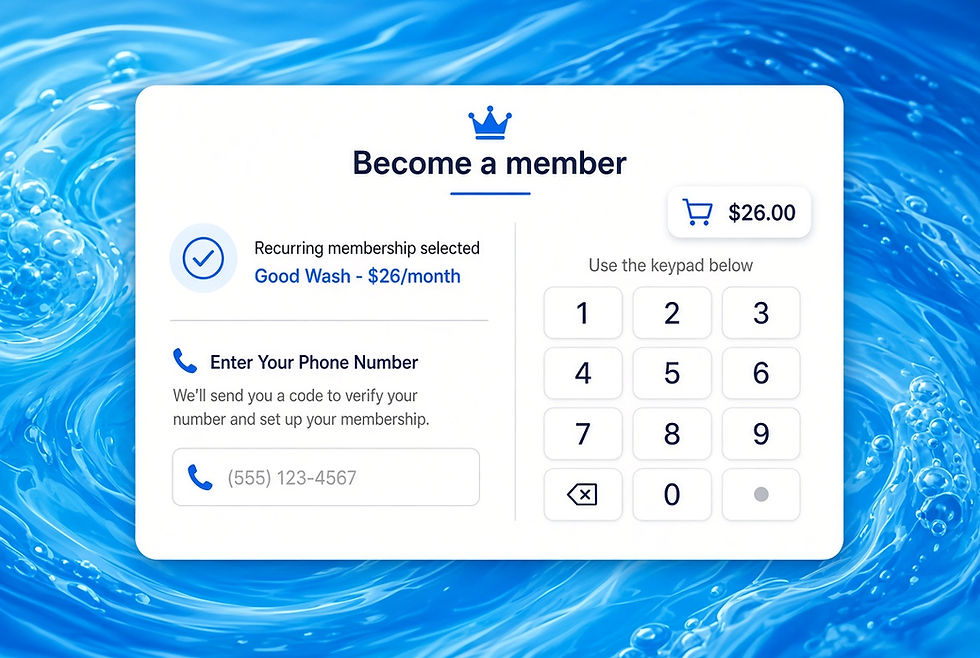
On the pay-station, select Join Membership, then choose a plan.
02
Use the SAME phone number already linked to your other vehicle(s).

03
When prompted, assign the vehicle to your existing account and check out. A 20% discount will be automatically applied.
Sign Up Online

01
Click Manage My Membership, then log in with your phone number or license plate from your first vehicle.

02
Select + Add New Car

03
Enter the new car’s license plate and details, then Save Changes.

04
Once you save changes, the new car will appear under your cars. Click "See All Plans" under Memberships at the top.

Choose a membership for the new car.
05
Choose a membership for the new car.
05

06
Select the new car from the dropdown and checkout. Your multi-car discount is applied automatically at checkout.